RAG Guide
Tools · 8 min
RAG (Retrieval-Augmented Generation) combines the power of LLMs with your own documents. The AI can answer questions about your data - without training.
How RAG Works
1. User asks question
2. Question → Embedding Model
3. Embedding → Vector Database
4. Find similar documents
5. Documents + Question → LLM
6. LLM generates answer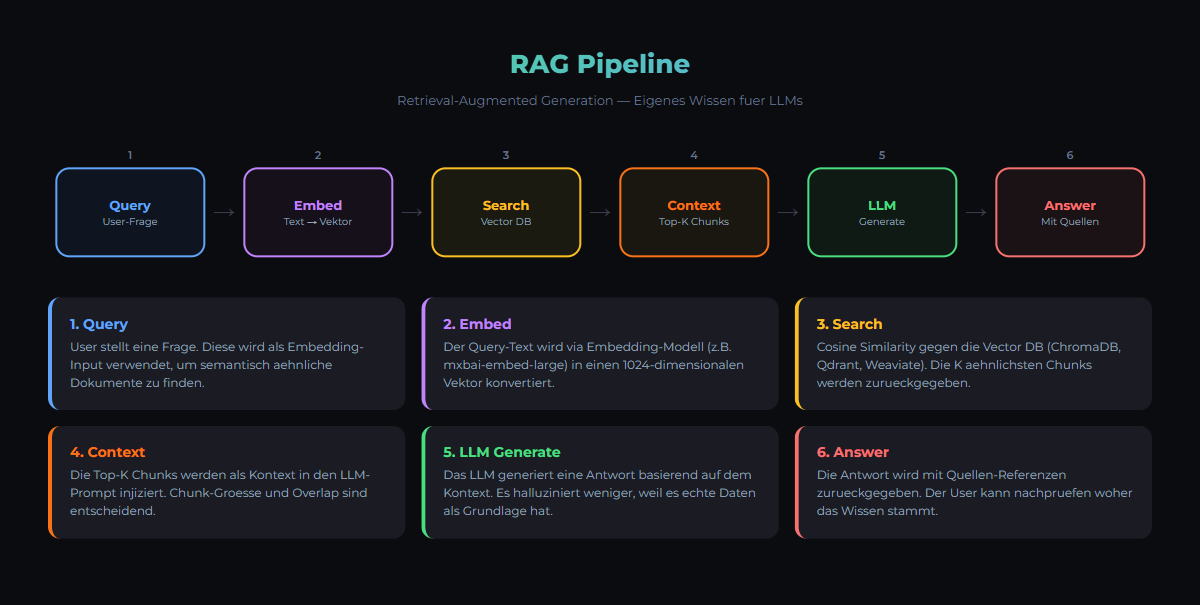
Components
- Document Loader: PDF, Markdown, HTML, Text
- Text Splitter: Split into chunks
- Embedding Model: Convert to vectors
- Vector Database: Store and search
- LLM: Generate answer from context
Popular Tools
| Tool | Type | Best For |
|---|---|---|
| ChromaDB | Vector DB | Simple setups |
| Qdrant | Vector DB | Production |
| Neo4j | Graph DB | Knowledge Graphs |
| pgvector | Vector DB | PostgreSQL users |
Basic RAG Pipeline
# 1. Load and split documents
from langchain_community.document_loaders import TextLoader
from langchain.text_splitter import RecursiveCharacterTextSplitter

loader = TextLoader("my-docs.txt")
docs = loader.load()
splitter = RecursiveCharacterTextSplitter()
chunks = splitter.split_documents(docs)

# 2. Create embeddings and store
from langchain_community.embeddings import OllamaEmbeddings
from langchain_community.vectorstores import Chroma

embeddings = OllamaEmbeddings(model="nomic-embed-text")
db = Chroma.from_documents(chunks, embeddings)

# 3. Query
query = "What is our return policy?"
docs = db.similarity_search(query)

# 4. Get answer from LLM
from langchain_community.chat_models import ChatOllama
llm = ChatOllama(model="llama3:8b")
result = llm.invoke(f"Answer based on: {docs}")Related articles
Tools
Ollama Tutorial
Run local LLMs with Ollama: install, pick models, use the API and integrate into a GDPR-compliant, 100% self-hosted AI stack.
Tools
Model Selection Guide
Choose the right AI model for your use case — from Llama to Mistral.
Patterns
Memory Management Pattern
How AI agents store and retrieve persistent knowledge. CLAUDE.md, Topic Files, Knowledge Graphs.
Was this article helpful?
Continue the learning path
The learning path puts these articles in order, and the Hub carries the building blocks we have checked in our own operations.
Why AI Engineering
- Local and self-hosted
- Documented and verifiable
- From our own operations
- Made in Austria
Not legal advice.