Ollama: Local LLMs Made Easy
Tools · 8 min
Ollama makes local Large Language Models accessible. No cloud, no API costs, no data flowing anywhere. In 5 minutes you have your own AI chat running on your hardware.
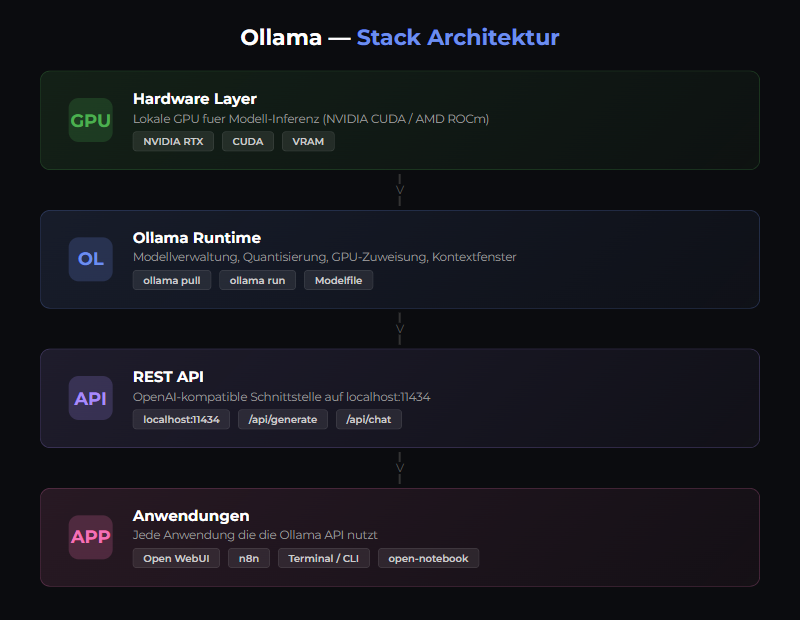
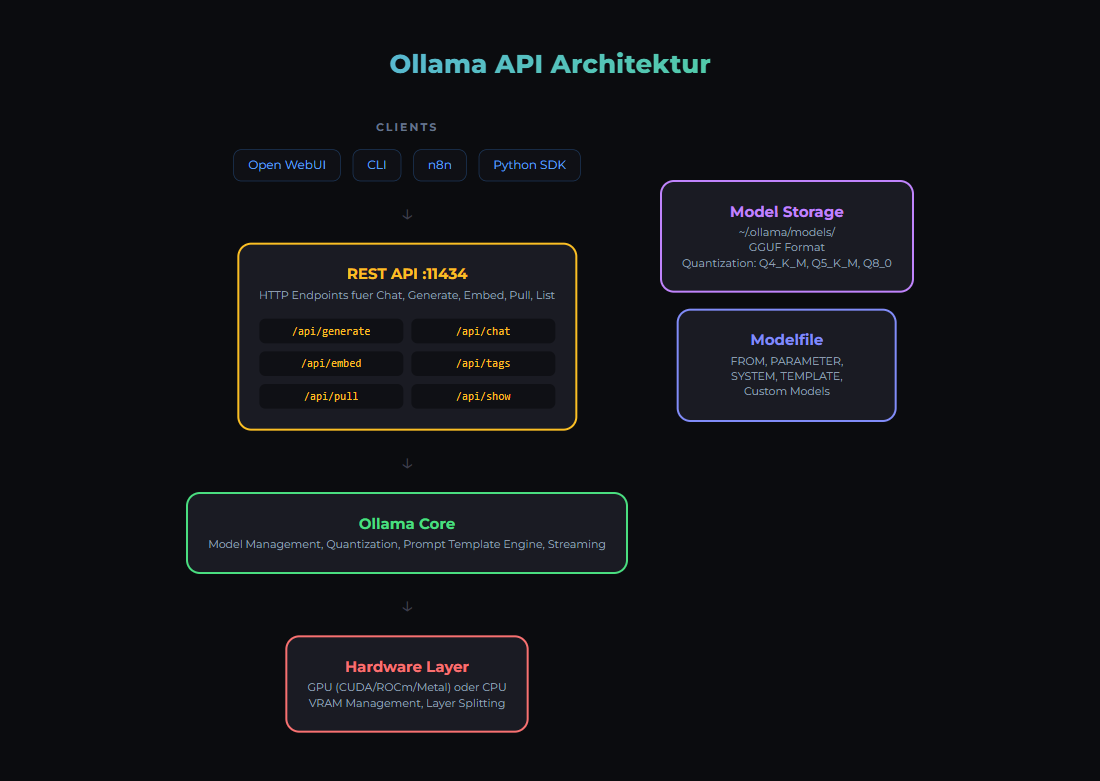
What is Ollama?
Ollama is a CLI tool to run LLMs locally. Supports 132+ models (Llama, Mistral, CodeLlama, etc.) and runs on macOS (with Metal GPU acceleration), Linux and Windows (via WSL2).
Supported Models (Selection)
Llama 3.2
1B, 3B, 8B, 70B — Text and Vision
Mistral
7B — Fast, efficient
Phi
3.5B — Small but smart
CodeLlama
7B, 13B, 34B — Coding specialized
Qwen
0.5B to 72B — multilingual
Gemma
2B, 7B — Google
Installation
macOS
brew install ollamaLinux/WSL2
curl -fsSL https://ollama.com/install.sh | shDocker (our recommendation)
docker run -d \
  --name ollama \
  -v ollama_data:/root/.ollama \
  -p 11434:11434 \
  ollama/ollama:latest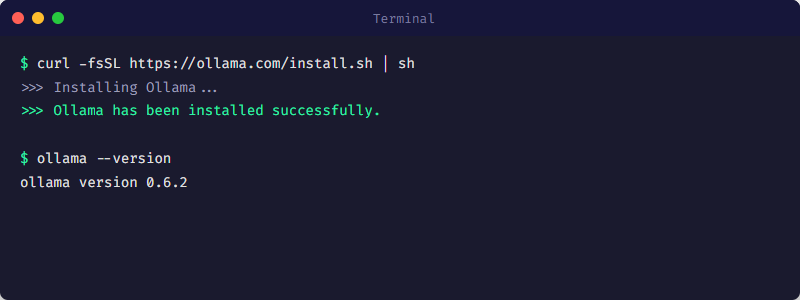
Download Models
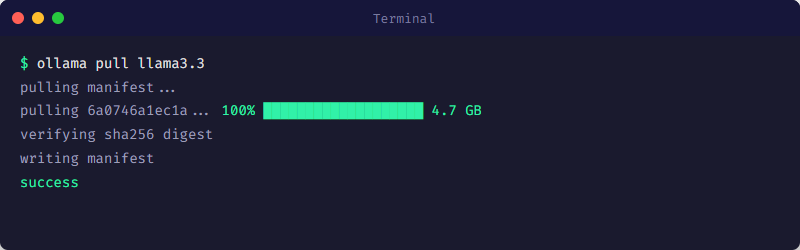
The first model is downloaded automatically on first start. You can also preload models explicitly:
# Download model
ollama pull llama3.2

# List available models
ollama list

# Show model info
ollama show llama3.2
Recommended Starter Models
| Model | Size | VRAM | Use Case |
|---|---|---|---|
| phi3:3.8b | 2.3 GB | ~4 GB | Fast, beginner |
| llama3.2:1b | 1.3 GB | ~2 GB | Lightweight, fast |
| llama3.2:3b | 3.8 GB | ~6 GB | Balance |
| llama3.1:8b | 4.7 GB | ~8 GB | Advanced |
| mistral:7b | 4.1 GB | ~8 GB | Coding, reasoning |
Using Ollama
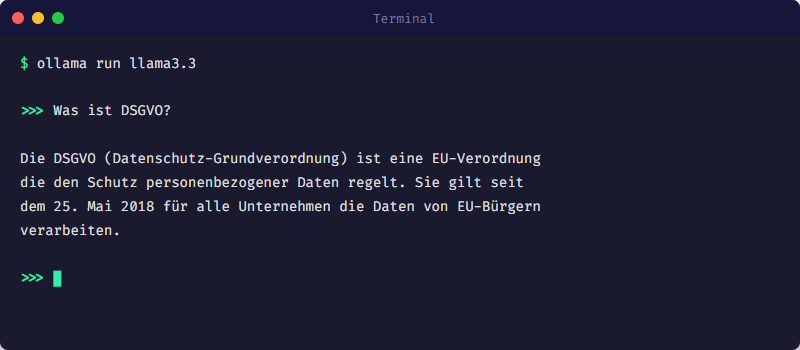
Interactive Chat
ollama run llama3.2REST API
Ollama provides a REST API on port 11434:
# Chat
curl -X POST http://localhost:11434/api/chat \
  -d '{
    "model": "llama3.2",
    "messages": [
      { "role": "user", "content": "Hello!" }
    ]
  }'

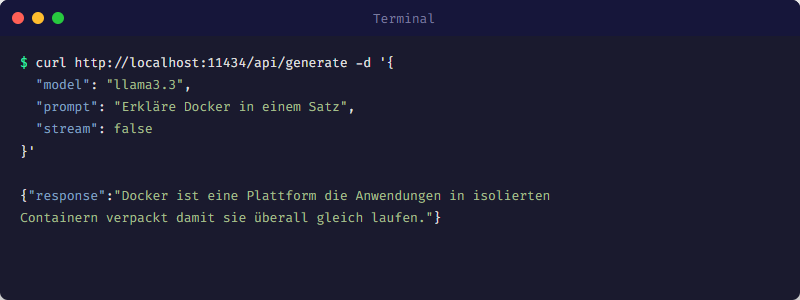
# Generate (single response)
curl -X POST http://localhost:11434/api/generate \
  -d '{
    "model": "llama3.2",
    "prompt": "What is Docker?"
  }'
GPU Configuration
Ollama automatically uses available GPUs. For Docker, the GPU needs to be passed through:
# NVIDIA GPU
docker run -d --gpus all \
  --name ollama \
  -v ollama_data:/root/.ollama \
  -p 11434:11434 \
  ollama/ollama:latest

# Or with docker-compose.yml
services:
  ollama:
    image: ollama/ollama:latest
    volumes:
      - ollama_data:/root/.ollama
    ports:
      - "11434:11434"
    deploy:
      resources:
        reservations:
          devices:
            - capabilities: [gpu]
Our Docker Swarm Setup
In our 3-node Swarm, Ollama runs on the GPU node (docker-swarm3):
services:
  ollama:
    image: ollama/ollama:latest
    volumes:
      - ollama_data:/root/.ollama
    ports:
      - "11434:11434"
    deploy:
      resources:
        reservations:
          devices:
            - capabilities: [gpu]
      placement:
        constraints:
          - node.hostname == docker-swarm3
    networks:
      - ai-network
Web Interface: Open WebUI
For a ChatGPT-like interface, we use Open WebUI:
services:
  open-webui:
    image: open-webui/open-webui:main
    ports:
      - "3000:8080"
    environment:
      - OLLAMA_BASE_URL=http://ollama:11434
    volumes:
      - open-webui_data:/app/backend/data
    depends_on:
      - ollama
    networks:
      - ai-network
Next Steps
- • Set up RAG: RAG Complete Guide →
- • Compare models: Test multiple models in parallel
- • Monitoring: Enable Prometheus metrics
Related articles
Model Selection Guide
Choose the right AI model for your use case — from Llama to Mistral.
RAG Guide
Retrieval-Augmented Generation with ChromaDB, Qdrant, Neo4j.
Local vs Cloud: TCO Comparison
TCO comparison for AI workloads: cloud APIs vs a local AI stack (Ollama, n8n, monitoring). Costs, risks, privacy and operations in practice.
Was this article helpful?
Continue the learning path
The learning path puts these articles in order, and the Hub carries the building blocks we have checked in our own operations.
- Local and self-hosted
- Documented and verifiable
- From our own operations
- Made in Austria