30-Day Local AI-Stack Quickstart
Basics · 8 min
Want to build a local AI stack? This day-by-day guide shows you how to go from zero to a production-ready, GDPR-compliant AI stack in 30 days.
What You'll Have at the End
- Docker Swarm Cluster (3 Nodes)
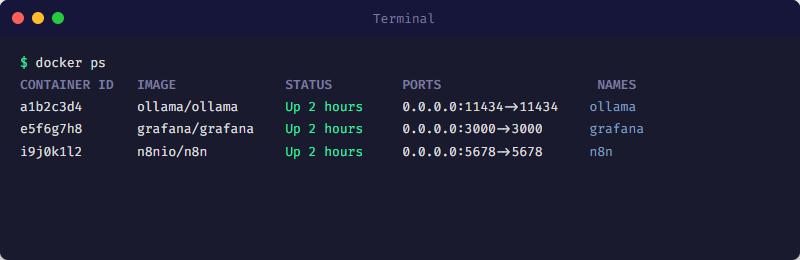
- Ollama with local LLMs (Llama 3, Mistral)
- n8n Workflow Automation
- Monitoring with Prometheus + Grafana
- 100% GDPR-compliant
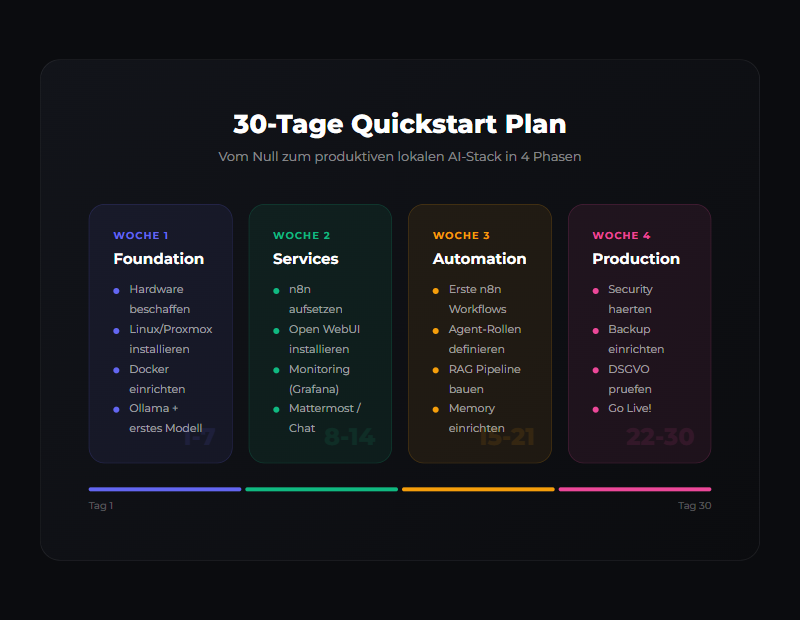
Phase 1: Foundation (Day 1-7)
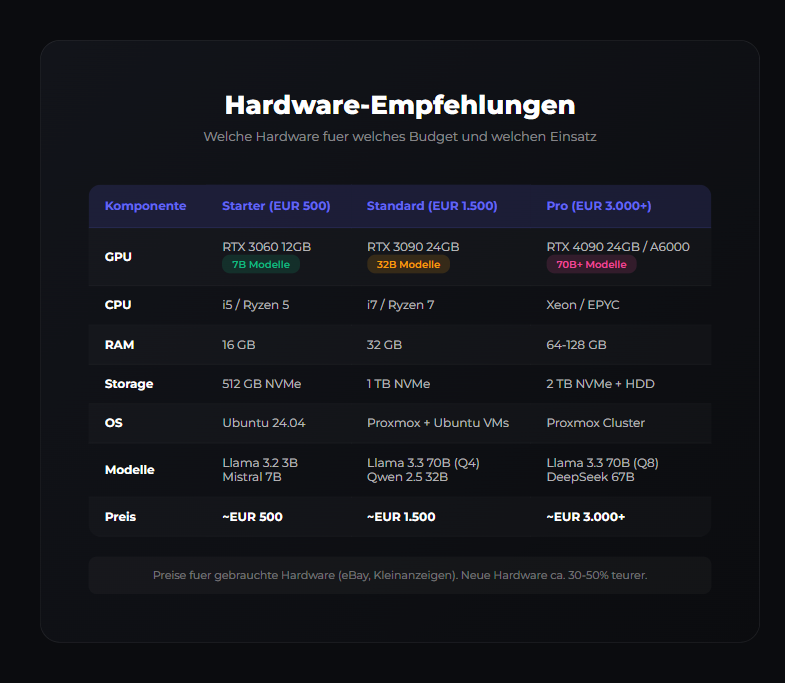
- Day 1: Hardware Check - Minimum 8GB RAM, Ubuntu 22.04
- Day 2: Docker Installation
- Day 3: Network & Security - UFW, SSH hardening
- Day 4-5: Docker Compose Basics
- Day 6-7: Documentation
Phase 2: AI Core (Day 8-14)
- Day 8-9: Ollama Installation
- Day 10-11: Model Selection (Llama 3 8B, Mistral)
- Day 12-13: Chat Interface (Open WebUI)
- Day 14: RAG Basics (ChromaDB)
Phase 3: Automation (Day 15-21)
- Day 15-16: n8n Installation
- Day 17-18: AI Workflows
- Day 19-20: Build Your Own Workflows
- Day 21: Integration & Testing
Phase 4: Production (Day 22-30)
- Day 22-23: Monitoring (Prometheus + Grafana)
- Day 24-25: Alerting
- Day 26-27: Security Hardening
- Day 28-29: Backup & Recovery
- Day 30: Review & Optimization
Related articles: Ollama Tutorial · Docker Basics
For implementation support, find resources at ai-engineering.at.
Related articles
Tools
Ollama Tutorial
Run local LLMs with Ollama: install, pick models, use the API and integrate into a GDPR-compliant, 100% self-hosted AI stack.
Tools
Docker vs Docker Swarm for AI
Which is right for AI? Compose for development, Swarm for production.
Tools
n8n for Beginners
Workflow automation with n8n. Getting started, nodes, triggers, integrations.
Was this article helpful?
Continue the learning path
The learning path puts these articles in order, and the Hub carries the building blocks we have checked in our own operations.
Why AI Engineering
- Local and self-hosted
- Documented and verifiable
- From our own operations
- Made in Austria
Not legal advice.